
Photo documentation and defect management for site and office
Take site photos in the app instead of the phone camera. They are saved in the project, and you assign them to a room or a point on the plan. That way you find them again, even when a colleague is away.
Built by RWTH Aachen architecture graduates. Hosted in Germany. 14 days free, no credit card.
Last release on November 3, 2026. Since April 2025, we shipped 17 updates. See all release notes.

Solutions for Construction & Property
From site documentation to handover and beyond: the right workflow for every phase.
Photo Documentation
Take photos on site, assign them to rooms and plan points, and find them again later with filters. For construction sites and existing buildings.
Defect Management
Capture defects in the app, link them to photos, pin them on the plan, assign and track them to completion. For site managers, design offices and trades.
Property Documentation
Warranty defects, repairs, and handover records with photos per room, in one project per property. For property managers.
Digital Construction Diary
Notes, photos, and defects as a running project record for site, planning, and project teams.
The problems we solve
Every day on construction sites, teams lose time to the same friction points.
Photo chaos across devices
Site photos scattered across phones, chats, and cloud folders. Nobody finds the right image when it matters.
Endless follow-ups
Questions about defects, progress, or decisions trigger email chains and calls because context lives in someone's head.
Office rework after every walk
Sorting photos, writing reports, and matching records to locations takes time that is missing for actual project work.
Stressful handover & warranty
When acceptance day arrives, missing evidence turns small issues into costly disputes.
Navigate instead of searching.
Leave scattered folders and messy Excel lists behind. In kontekst, photos, notes and defects are linked in both directions and pinned to the plan. Jump from a defect to its photo and from the photo to the plan in one click. Every project stays traceable from groundbreaking to handover and beyond.
One shared workspace where your team links project knowledge and keeps it for later.
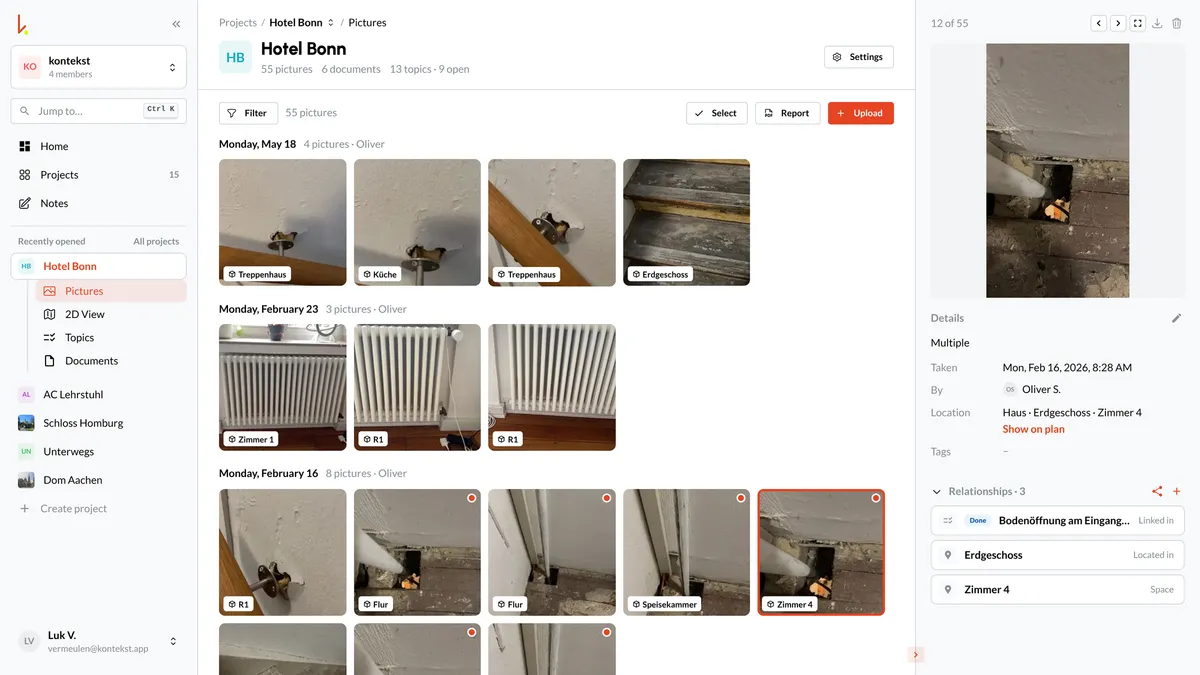
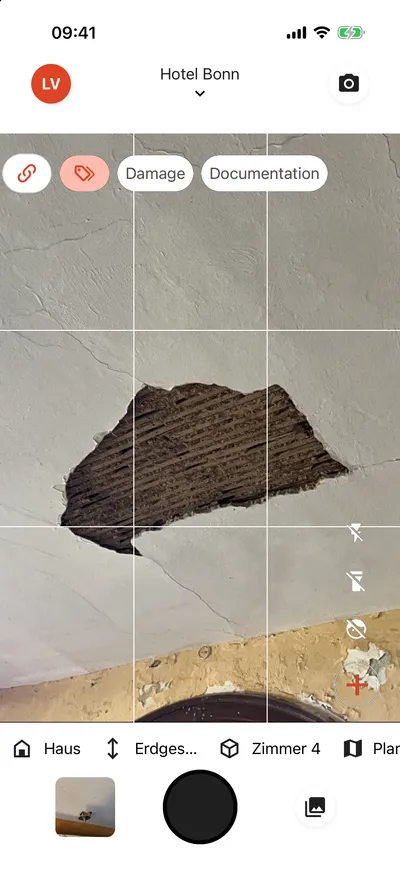
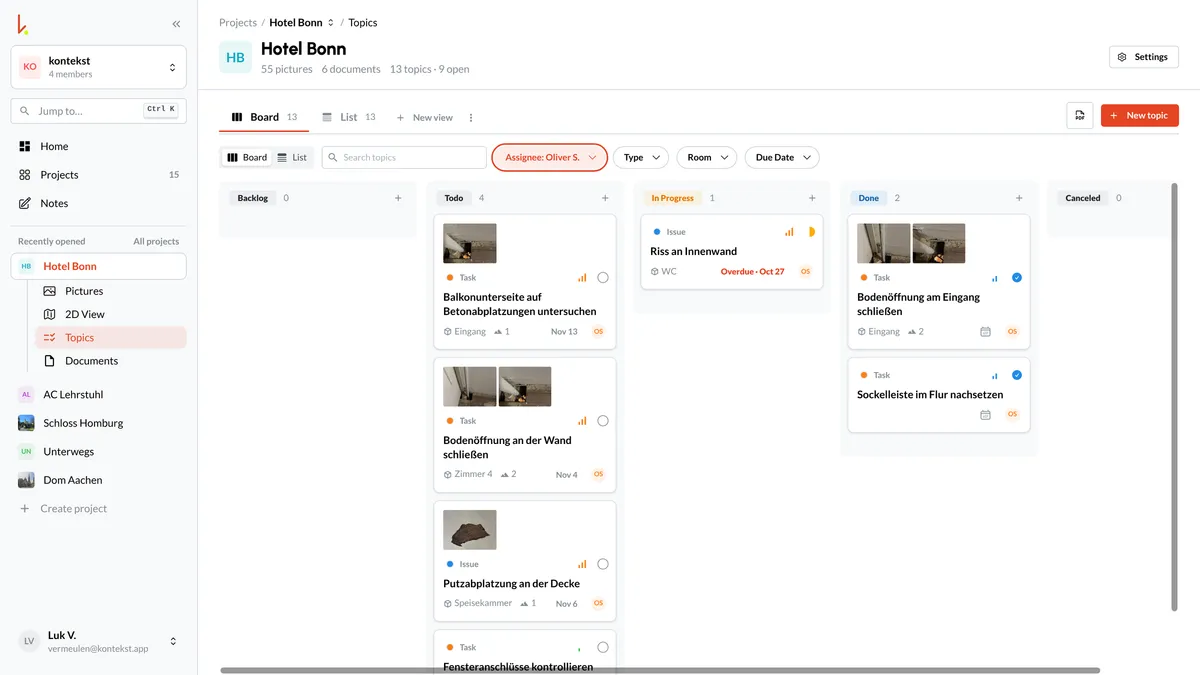
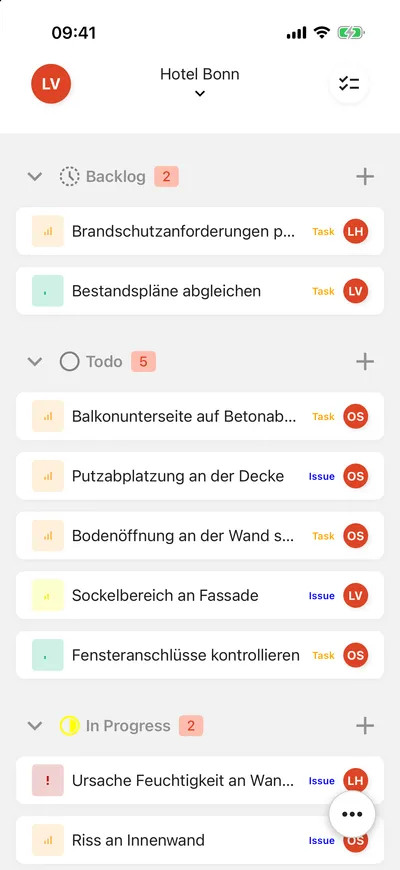
Capture photos on site and assign them to buildings, storeys and rooms.
One workspace for every role on the project.
Architects, general contractors, site managers, and operations teams work in the same connected project context.
Capture design intent and built reality in one place. Pin photos and notes directly on plans so deviations, details, and decisions remain traceable from first site walk to final handover.
Who kontekst is for
kontekst fits teams that regularly take photos and document defects on site: site managers, design offices, trades, property managers.
Ready to get started?
Create a project and take the app to your next site walk.