Building documentation for property management
Property documentation should not live as a static archive. With kontekst, property teams use handover knowledge every day for repairs, site walks, tenant requests, and small renovation work.
Handover documentation exists, but operations work happens elsewhere
After takeover, documents are available, but daily operations run in separate tools, chats, and folders. The link between handover knowledge and current work breaks quickly.
Archives instead of working context
Handover files are stored, but rarely used in daily decisions because they are not connected to live operations.
Workflow fragmentation
Tasks in one system, photos on phones, updates in email. Teams reconstruct context manually every time.
Weak continuity per property
When staff or vendors change, decision history and rationale are hard to carry forward.
Slow incident response
For recurring issues, teams waste time re-finding previous actions and evidence.
When historical records and daily tasks stay disconnected, response times slow down and operational friction increases.
How property documentation becomes an operational tool
kontekst connects handover records and ongoing building operations in one continuous context.
Store a structured handover baseline
Handover records as documents, plans with versions, photos per room. That is the starting point in your workspace.
Run daily tasks in context
Capture repairs, site walks, and tenant-driven actions as tasks with assignee and due date, linked to photos and notes and pinned on the plan.
Extend the history with every small job
Repairs and minor renovations extend the same record instead of creating new silos.
Features for daily property operations
Everything property teams need to operate buildings in the same workspace as handover documentation.
Tasks and defects per property
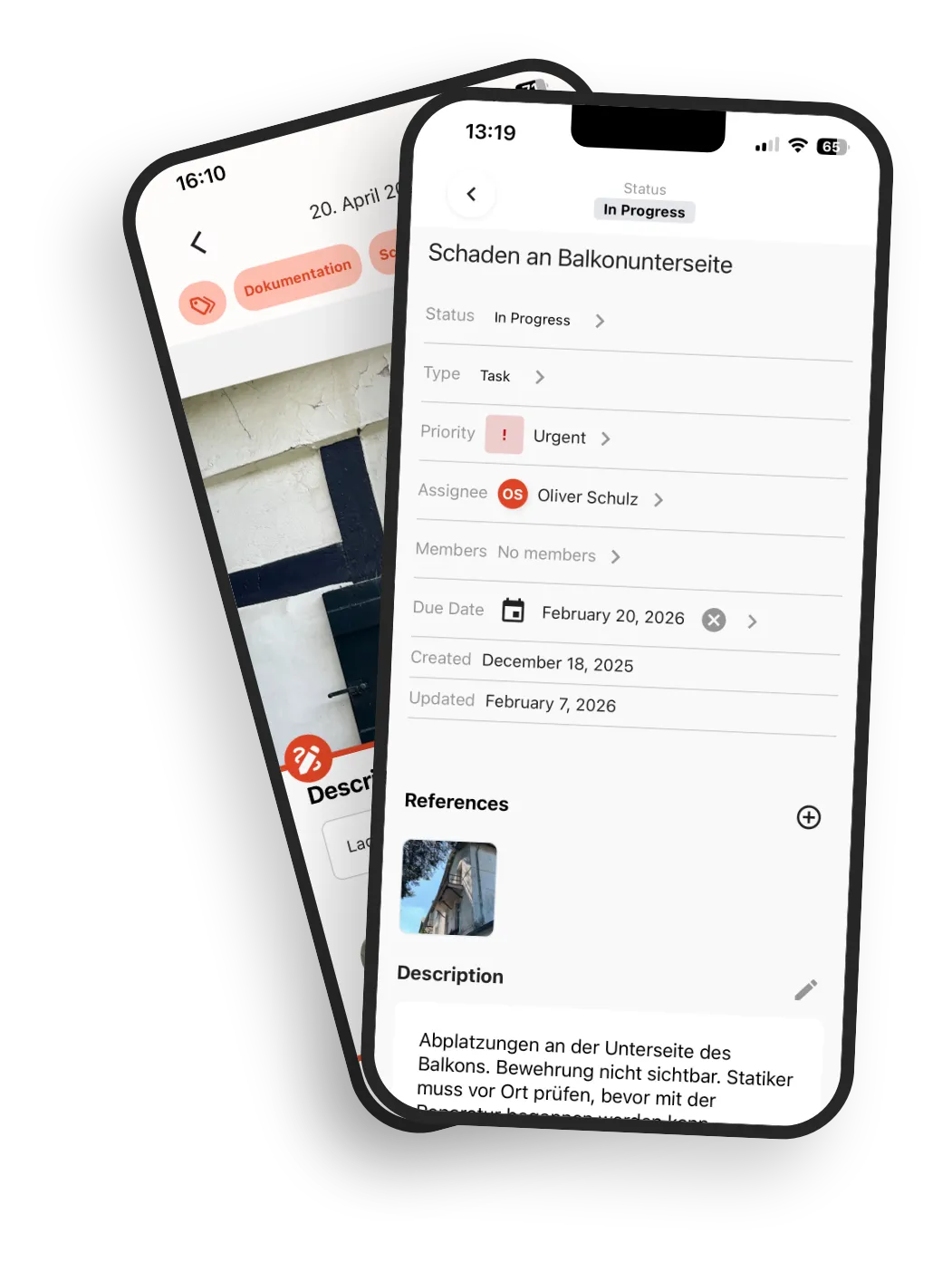
Track incidents, repairs, and measures as tasks with status, assignee, and due date.
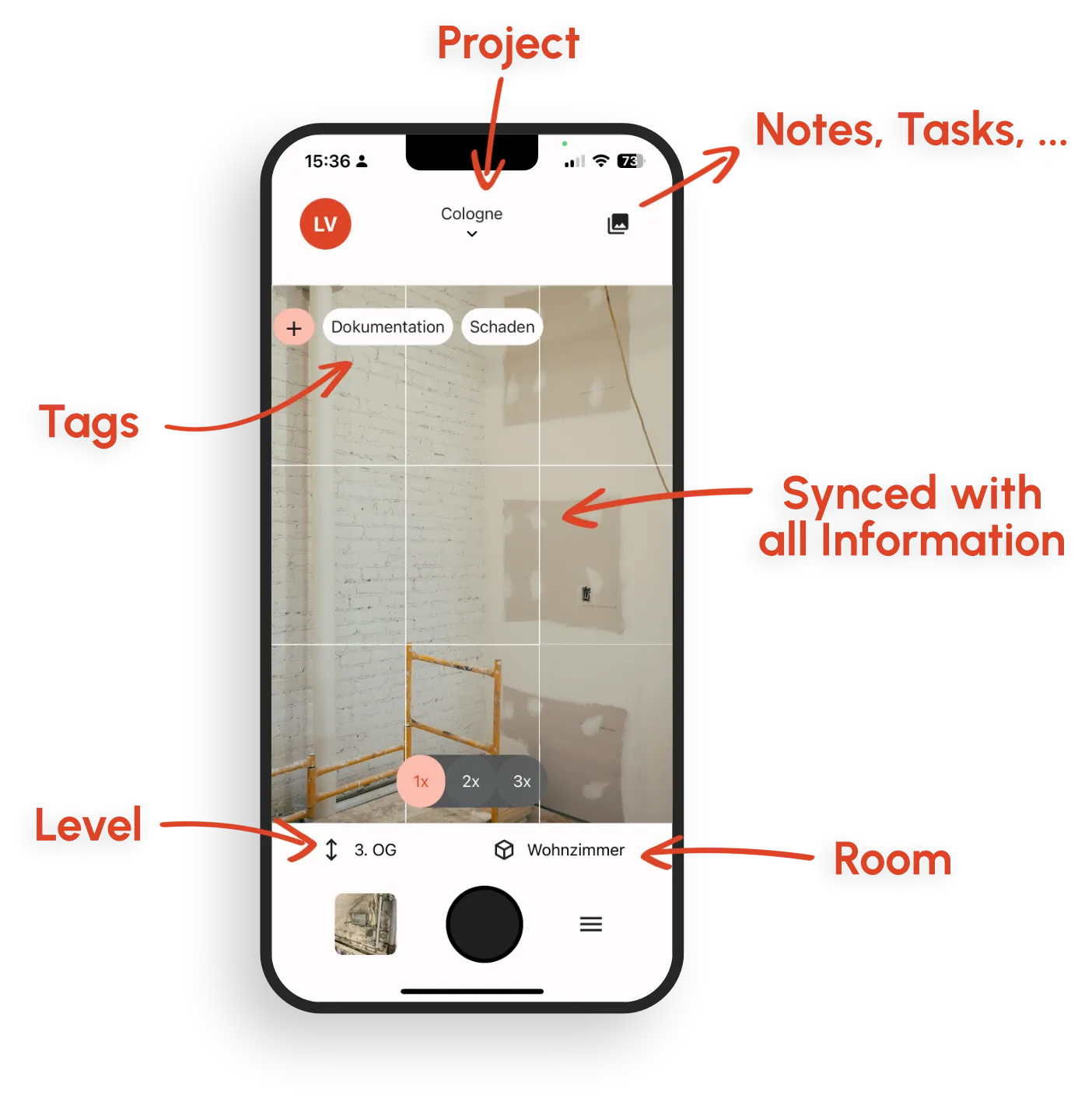
Photo capture with context
Assign site walk photos and before/after evidence to the right room and link them to the task.
Timeline per property
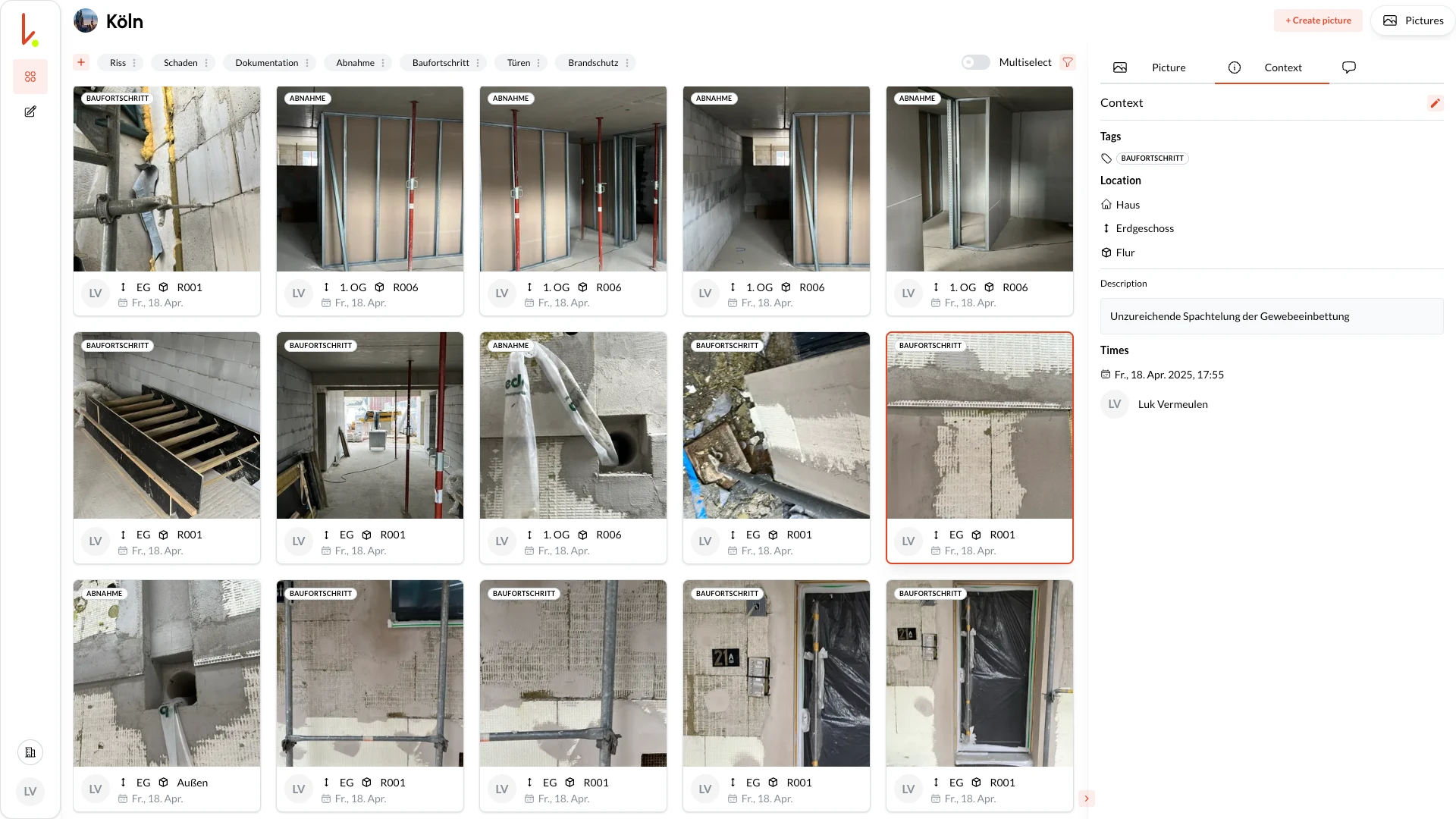
Review actions per building, storey, or room through the photos and the notes and tasks linked to them.
Vendor coordination
Invite external partners as team members or send them a task by email from the app.
Filter and find
Filter photos by room, storey, tag, date, or person, and open the linked item from there.
Owner and operations reporting
Start a PDF photo report and a PDF report of the task list in the browser, without manual rework. Reports arrive by email.
Handover data in the same project
Handover records live as documents and versioned plans in the same project as ongoing tasks.
Offline for site walks
Capture on site in the app without signal and sync automatically later.
From construction to operations: everything linked
Every element of your construction documentation remains accessible and linked across the entire lifecycle. Navigate instead of searching.
Linked in both directions
From room to photo, from task to damage photo, and back.
Spatial context
Photos and defects pinned on the floor plan, not in abstract lists.
Living history
The dossier grows with renovations, maintenance, and revitalization.
Typical daily scenarios for property teams
Four recurring cases where linked property documentation helps day to day.
Repair follow-up
Open the task, add current photos, complete actions, and continue the history in the same room.
Small renovation coordination
Capture before state, execution updates, and acceptance in one process across all involved trades.
Tenant issue follow-up
For repeated incidents, teams instantly see prior visits, photos, and decisions in one context.
Vendor change without knowledge loss
New partners you invite as team members inherit the operational history and can continue work without reset.
What operational property documentation delivers
Teams act with more confidence because handover and daily operations are connected.
Ready to act day to day
Teams decide quickly with complete context instead of collecting data from multiple systems.
Less context switching
Tasks, photos, and history live together, reducing coordination overhead.
Better vendor steering
External partners receive clear tasks with due dates and linked photos. That helps secure execution quality.
Clear reporting for owners
Measures and evidence are structured and ready for transparent communication.
Lasting building knowledge
Decisions remain understandable and usable across staff and vendor changes.
Find any information quickly
Filters make your building knowledge easy to access, even years after the construction phase.
Filters
Filter photos by room, storey, tag, date, or person.
Linked results
Instantly see all linked photos, defects, and notes.
PDF photo report
Start PDF photo reports in the browser. The report arrives by email.
Why kontekst works differently for property operations
Many systems document handover well but stop short in day-to-day execution. kontekst connects both in one continuous operating model.
No break between handover and operations
Documentation does not end at handover. It becomes the basis of daily work.
Linked information instead of static PDF storage
Photos, tasks, and notes are linked, and documents sit in the same project, so everything is findable in context.
One workspace for team and partners
Property management, technical teams, and invited vendors work from the same data foundation.
Secure and controllable
Hosted in a data center in Germany with a European provider, with clear data ownership and traceable operations.
Turn property documentation into a daily operations tool
Start using one connected workflow for handover records, tasks, photos, and small renovation measures.