
Photo documentation for construction and existing buildings
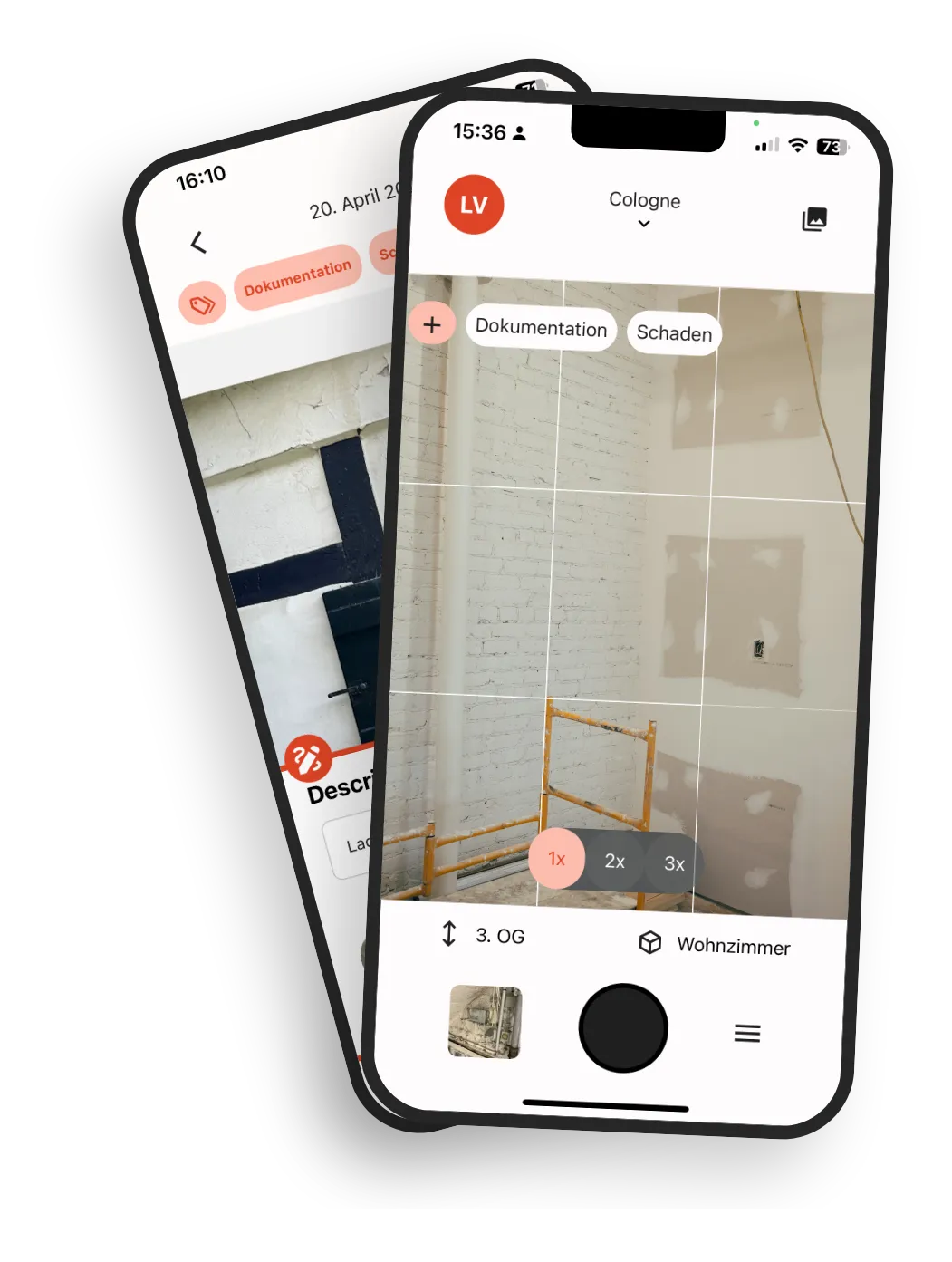
Take photos in the app and choose the room or the point on the plan. Date and person are saved with every photo, the room as soon as you assign it.
Photos exist, but the context is missing
Construction teams capture hundreds of images every week. Later, the same question keeps coming up: where exactly was this taken?
Scattered image data
Photos are split across devices, people, and disconnected tools.
Ambiguous location notes
Descriptions like room 3.12 north wall are not always unambiguous and not filterable.
Manual post-processing
After each site walk the work continues in the office: sorting, renaming, and assigning photos.
Slow retrieval later
Months later, teams struggle to reconstruct what happened and where.
Higher handover risk
Without a traceable history, disputes and coordination loops increase.
When photos are spread across folders, chats, and inboxes, every follow-up costs time. During handover and warranty phases, that delay becomes expensive.
How simple kontekst lens is to use
The workflow stays as simple as taking photos on your phone, but every image has structured context from the first capture.
Upload plans or create room structure
Start with your existing PDF floor plans or just set up building, storey, and room structure.
Take photos as usual
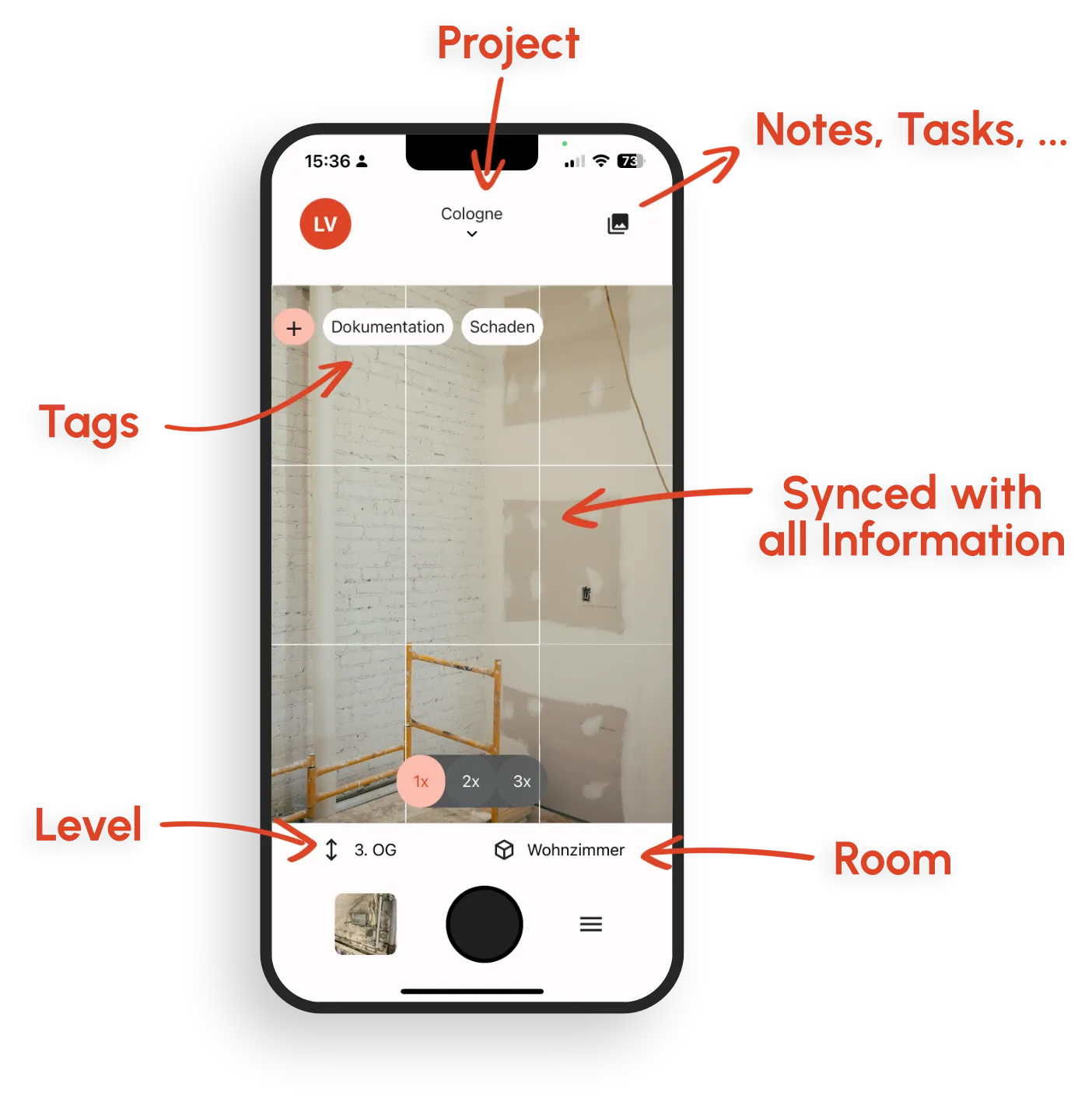
Capture as many photos as you need. You pick the room and tags right in the app. Date, person, and room are saved with each photo.
Sync and link
Photos sync to the shared project automatically, can be linked directly to defects and tasks, and are ready for the team to work with.
Plan-based documentation
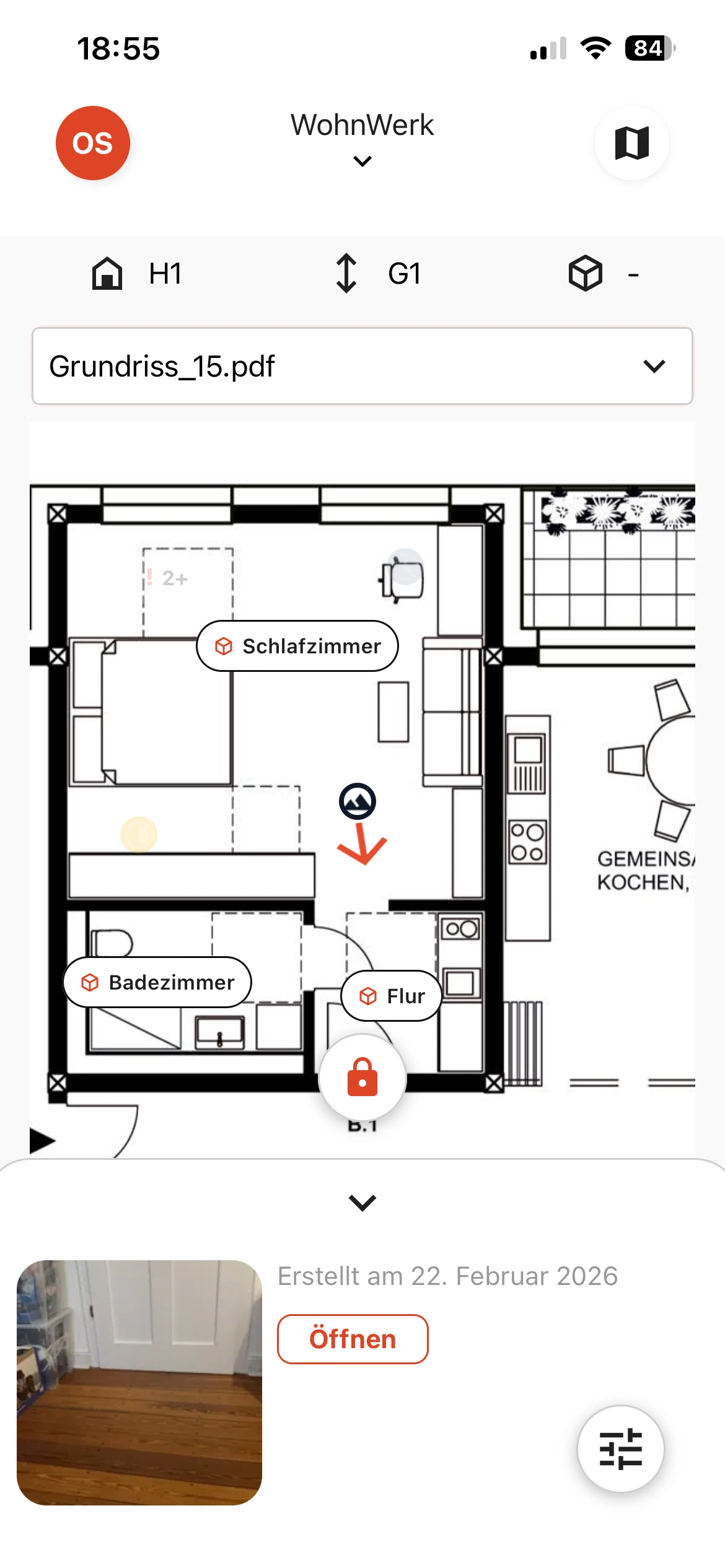
Place photos directly on the floor plan. Everyone on the team sees at a glance where exactly the image was taken, without long location descriptions or follow-up questions.
Pin instead of guesswork
Drop a pin on the exact location and document it clearly.
No duplicate maintenance
Located records stay consistent across plan views and later plan updates.
Connected to defects and tasks
Link each photo to defects and tasks for a traceable history.
Features for precise photo documentation with plan and room context
One connected workflow from on-site capture to ready-to-share evidence.
Locate photos with ease
Locate photos on the floor plan or via room selection. Location context stays consistent across rooms, storeys, and plan views.
Sketches & annotations
Add markups and freehand drawings directly on images, plus comments on each photo.
Tags and metadata
Tag trades or components. Date, person, and room are saved with each photo.
Direct defect and task linking
Connect photos directly with defects and tasks.
Fast, practical filters
Filter by room, storey, tag, date, or person.
Chronological project history
Track changes across rooms and areas with a complete timeline.
PDF photo reports from the browser
Select photos in the browser and start a PDF photo report. It arrives by email as soon as it is ready.
Offline-ready
Document in the app without signal and sync automatically when back online.
Everything in one place, everything in view
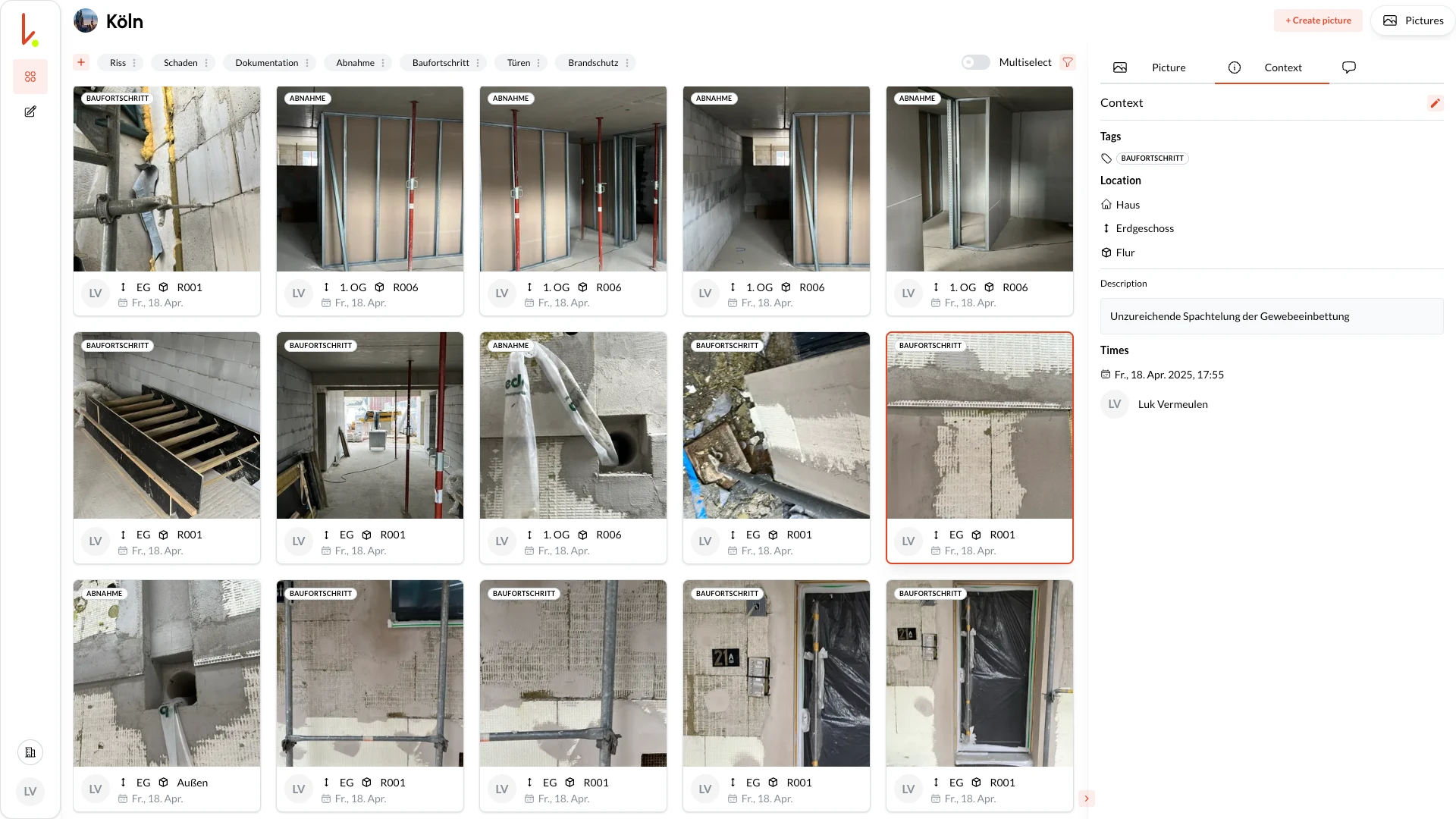
The kontekst lens automatically uploads new captures. In the cloud, all team members see the latest images, well structured, filterable and ready for export.
New photos at a glance
New captures appear in the cloud once uploaded.
Find everything
Filter by room, person, date and tag.
Team & export
Access for all team members. Start PDF photo reports in the browser.
What structured photo documentation helps you achieve
Less rework, fewer errors, and documentation you can still follow later.
Less office rework
Photos are already assigned, tagged, and marked up on site. You start the PDF photo report in the browser instead of putting it together by hand in Word or PowerPoint.
Efficient teamwork
Create defects and tasks, link photos to them, assign and track them. That keeps the information together. Rooms and storeys are documented chronologically, so progress and decisions stay traceable.
A data basis that lasts
Photos, rooms, tags, and metadata belong together. The result is clean documentation you can filter by room, date, and tag. You can still use it years later for renovations, facility management, or building surveys.
Reliable records
Date, person, and room are saved with each photo. Assigned to the project, they give you reliable records for defects or warranty claims.
Why kontekst works differently
A plain photo folder stores images. kontekst connects photos with spatial context and workflow context.
Location without complexity
Drop a pin or select a room. The location is immediately clear to everyone.
No new process
Take photos as usual, without filling out a long form for every image.
Linking instead of file chaos
One photo can be linked to multiple defects and tasks without duplicates.
Built for site reality
Mobile-first capture, offline support in the app, and fast sync back to office teams.
Secure and hosted in Germany
Data center in Germany, European provider, German company, clear data ownership.
Feedback from practice
I find the app very good and especially for initial inspections, which I mainly do, super practical.
Architect
Architecture firm (translated from German)
Frequently Asked Questions
How do I organize field photos so they work as verifiable job records?
Which software lets me pin site photos to a plan and comment on them?
Can I try the photo documentation app for free?
Does the photo documentation app work offline?
Where is my data stored?
Can I document photos without a floor plan?
How is kontekst different from a regular photo cloud?
Can I generate reports from the photo documentation?
How many photos can I store per project?
Ready for structured photo documentation?
Start with a current floor plan or with room structure only. From there, your team documents photos with clear location context and full traceability.