
Photo Documentation Without Office Rework for Construction and Existing Buildings
With kontekst lens, you document photos directly on site. Place them on the plan or assign them to rooms. Automatic metadata and sync reduce office rework and make handover easier.
Photos exist, but the context is missing
Construction teams capture hundreds of images every week. Later, the same question keeps coming up: where exactly was this taken?
Scattered image data
Photos are split across devices, people, and disconnected tools.
Ambiguous location notes
Descriptions like room 3.12 north wall are not always unambiguous and not filterable.
Manual post-processing
Sorting, renaming, and assigning photos takes hours after each site walk.
Slow retrieval later
Months later, teams struggle to reconstruct what happened and where.
Higher handover risk
Without a clear evidence trail, disputes and coordination loops increase.
When photos are spread across folders, chats, and inboxes, every follow-up costs time. During handover and warranty phases, that delay becomes expensive.
This is how easy the kontekst lens works
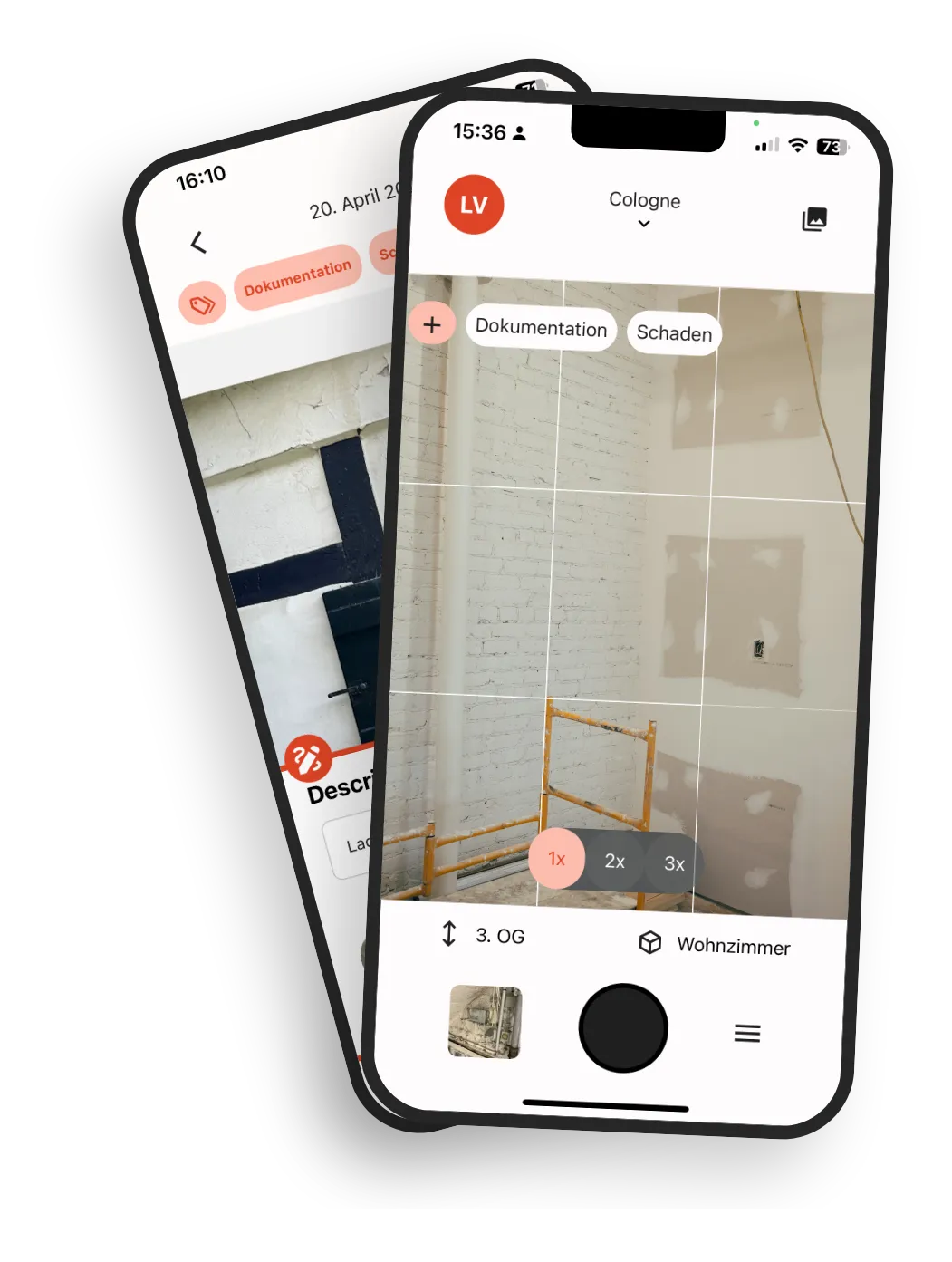
The workflow stays as simple as taking photos on your phone, but every image has structured context from the first capture.
Upload plans or create room structure
Start with your existing PDF floor plans or just set up building, floor, and room structure.
Take photos as usual
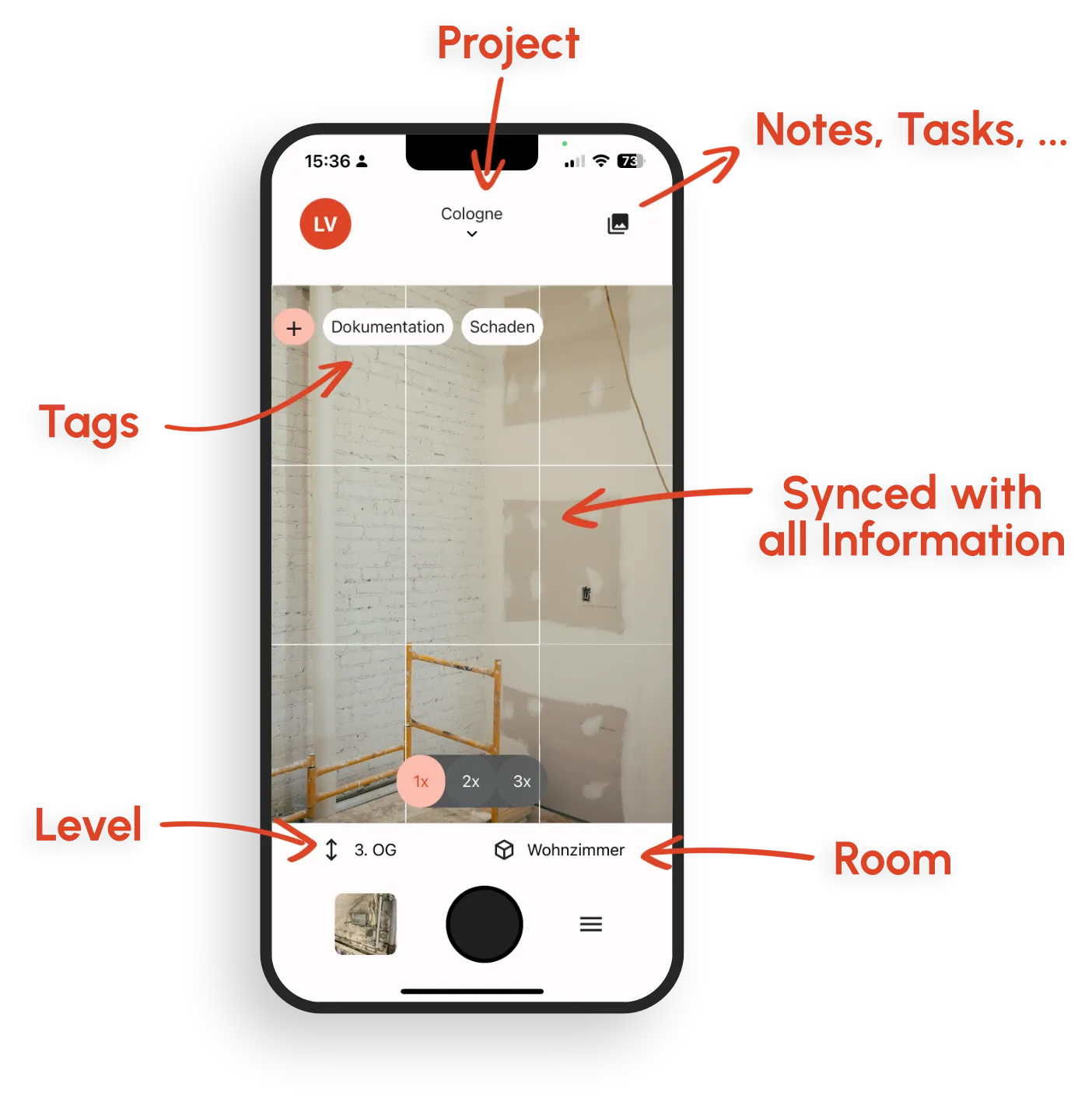
Capture as many photos as you need. The app automatically assigns project, room, date, author, GPS coordinates, and tags.
Sync and link automatically
Photos are stored in a structured cloud view and can be linked directly to Topics, defects, and tasks.
Plan-based documentation
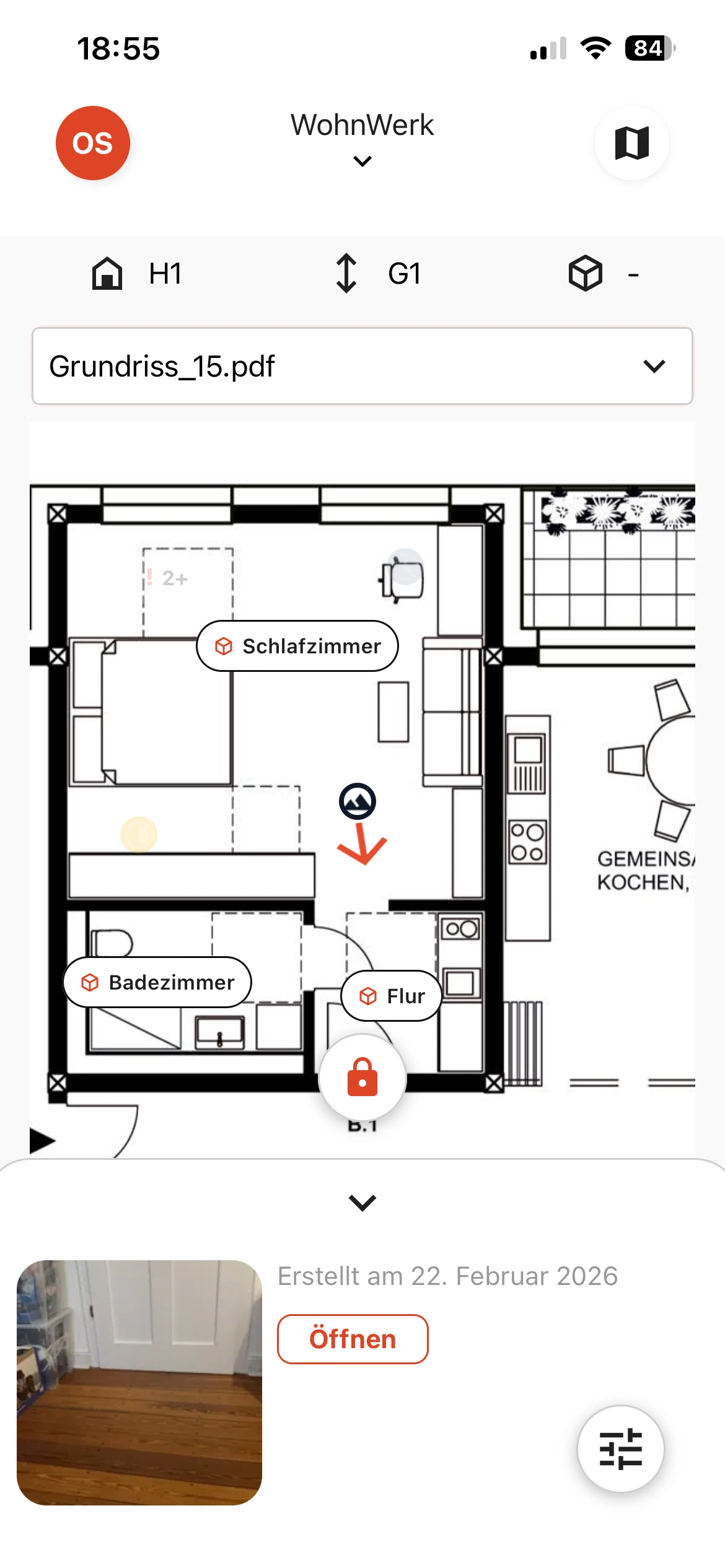
Place photos directly on the floor plan so every stakeholder instantly sees where the image was taken, without ambiguous text descriptions.
Pin instead of guesswork
Drop a pin on the exact location and document it clearly.
No duplicate maintenance
Located records stay consistent across plan views and later plan updates.
Connected to Topics
Link each photo to defects and tasks for a complete evidence trail.
Features for precise photo documentation with plan and room context
One connected workflow from on-site capture to ready-to-share evidence.
Locate photos with ease
Locate photos on the floor plan or via room selection. Location context stays consistent across rooms, floors, and plan views.
Sketches & annotations
Add markups, freehand drawings, and text fields directly on images.
Smart tagging
Tag trades or components while GPS data, date, and time are captured automatically.
Direct defect and task linking
Connect photos directly with Topics, defects, and tasks.
Fast, practical search
Filter by room, plan point, trade, author, date, or tags in seconds.
Chronological project history
Track changes across rooms and areas with a complete timeline.
One-click PDF photo reports
Generate reports with images, tags, notes, and GPS metadata in seconds.
Offline-ready
Document without signal and sync automatically when back online.
Everything in one place, everything in view
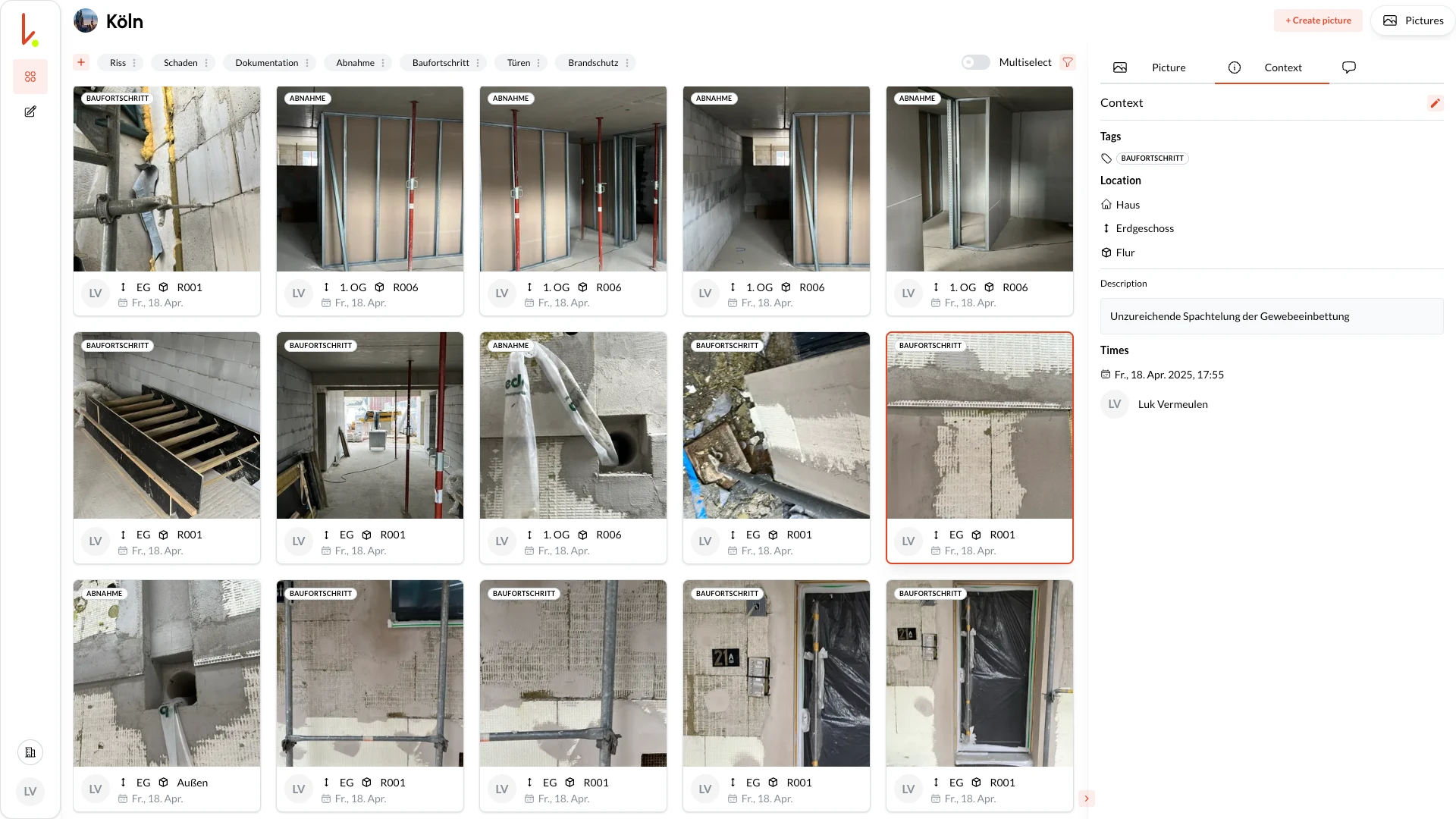
The kontekst lens automatically uploads new captures. In the cloud, all stakeholders see the latest images, well-structured, searchable, and ready for export.
Instant overview
Live feed of new photos
Find everything
Simply filter by room, author, date, tag, ...
Share & export
Access for all team members and PDF report with one click.
What structured photo documentation helps you achieve
Less searching, fewer misunderstandings, faster decisions.
Less office rework for site managers
Photos are correctly located and assigned from the start, saving hours every week.
Stronger evidence for architects and project planners
Plan-based location makes deviations, approvals, and progress easy to prove.
Faster handovers
Open items are documented with clear location context, reducing back-and-forth discussions.
Long-term value for facility teams
Find the right photo and location context years later for maintenance or renovation work.
Fits into your existing stack
Use OpenAPI and webhooks to integrate documentation into current systems and workflows.
Why kontekst Works Differently
Most tools store photos. kontekst connects photos with spatial context and workflow context.
Location without complexity
Drop a pin or select a room. The location is immediately clear to everyone.
No new process
Take photos as usual, without filling out a long form for every image.
Linking instead of file chaos
One photo can support multiple Topics without duplicates.
Built for site reality
Mobile-first capture, offline support, and fast sync back to office teams.
Secure and GDPR compliant
European cloud infrastructure, German company, clear data ownership.
What our users say
kontekst lens is used by site managers, architects, and facility teams across Europe.
I find the app very good and especially for initial inspections, which I mainly do, super practical.
Architect
Architecture firm
Automatic assignment saves us several hours of rework per week. And in case of disputes, we have all the evidence readily available.
Construction Manager
Construction company
Finally, we have a chronological project history that is still usable years later. Perfect for facility management.
Facility Manager
Property operator
Ready for Structured Photo Documentation?
Start with a current floor plan or with room structure only. In minutes, your team can document photos with clear location context and full traceability.