
Photo documentation app with a searchable photo library
With kontekst lens, you capture photos on site, assign them to rooms and floors, or pin them to a plan. Later, you can find exactly what you need by location, date, author, or tag instead of digging through folders.
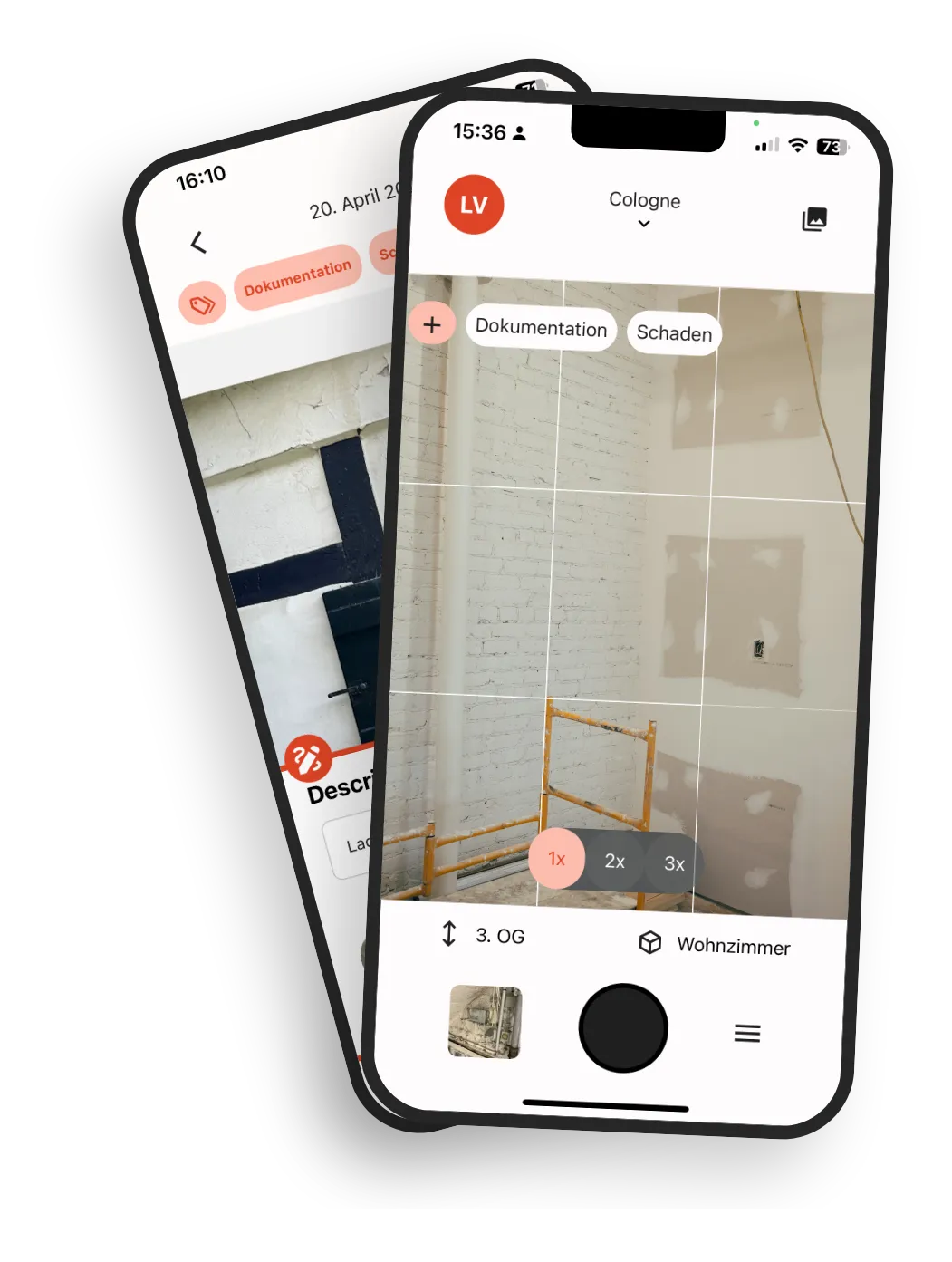
Photo documentation you can still use later
kontekst lens does more than store photos. It connects every image to rooms, floors, and projects, turning a pile of pictures into a photo library you can actually search and use.
Linked to building structure
Photos are attached to rooms, areas, and floors — not just filenames or folders.
Add a plan location when needed
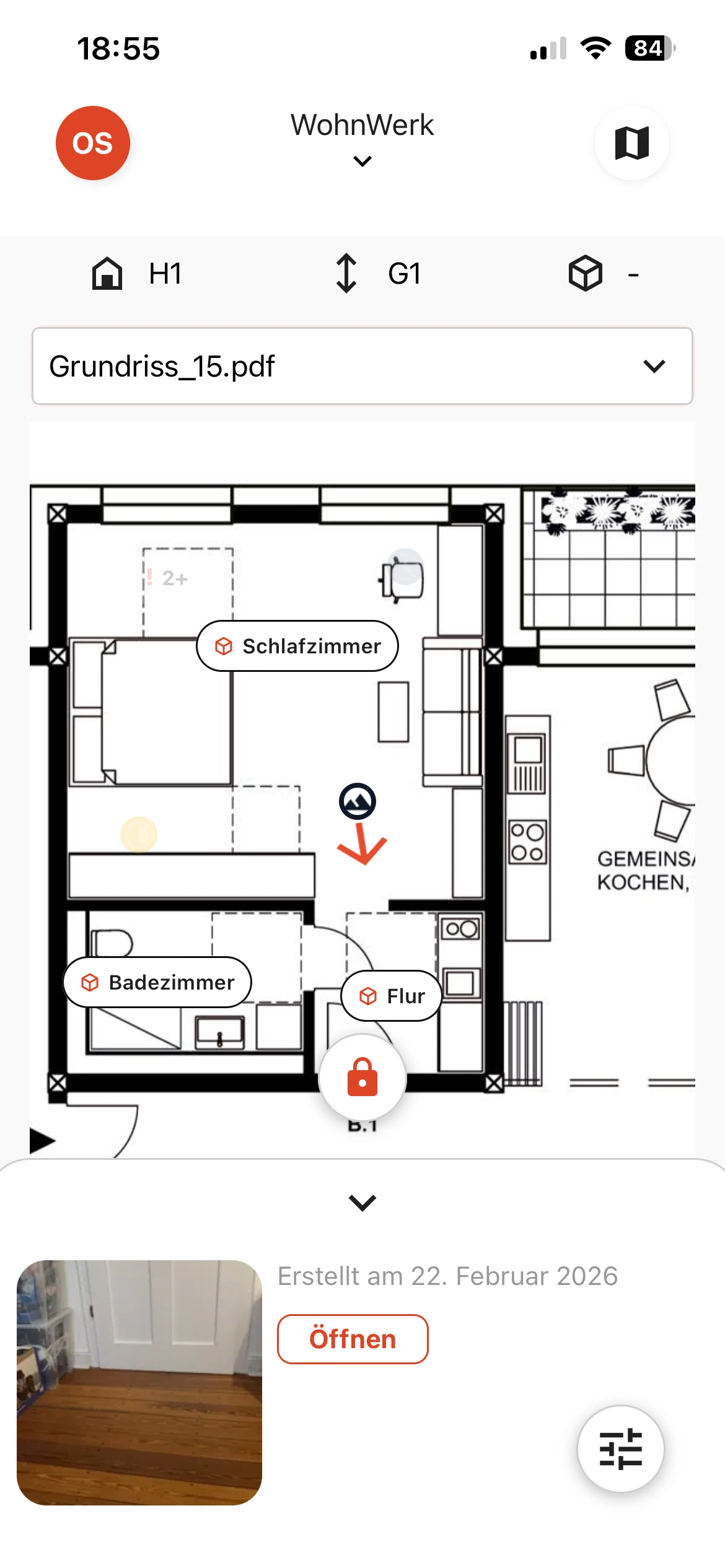
Mark locations directly on the plan without making the plan your only way to stay organized.
Easy to find later
The structure is preserved, making images easy to find even months later.
Everything you need for photo documentation on site
Rooms and floors
Assign photos directly to the building structure so they are in the right place.
Plan location
Mark images exactly where they were taken. Simple, visual, and without lengthy location descriptions.
Search and filter
Find images by room, floor, time period, author, or tags in seconds.
Metadata and tags
Time, author, and additional information are captured automatically, making documentation cleanly filterable.
Offline sync
Capture photos without network and sync automatically with your team later.
Shared across the team
Everyone works from the same photo library instead of personal phones and scattered folders.
One-click PDF photo reports
Generate PDF reports with images, tags, notes, and GPS metadata in seconds, without any manual rework.
Why you actually find photos here
You find photos here because the structure does the work, not because the gallery looks nice.
The room is part of the photo
Each image belongs to the right room or area instead of ending up in scattered folders.
Plan and structure work together
Visual workers use the plan. Systematic searchers use room and filter logic.
Search instead of sorting
Instead of renaming files or maintaining folders, filter directly for what you need.
Everything in one place, right when you need it
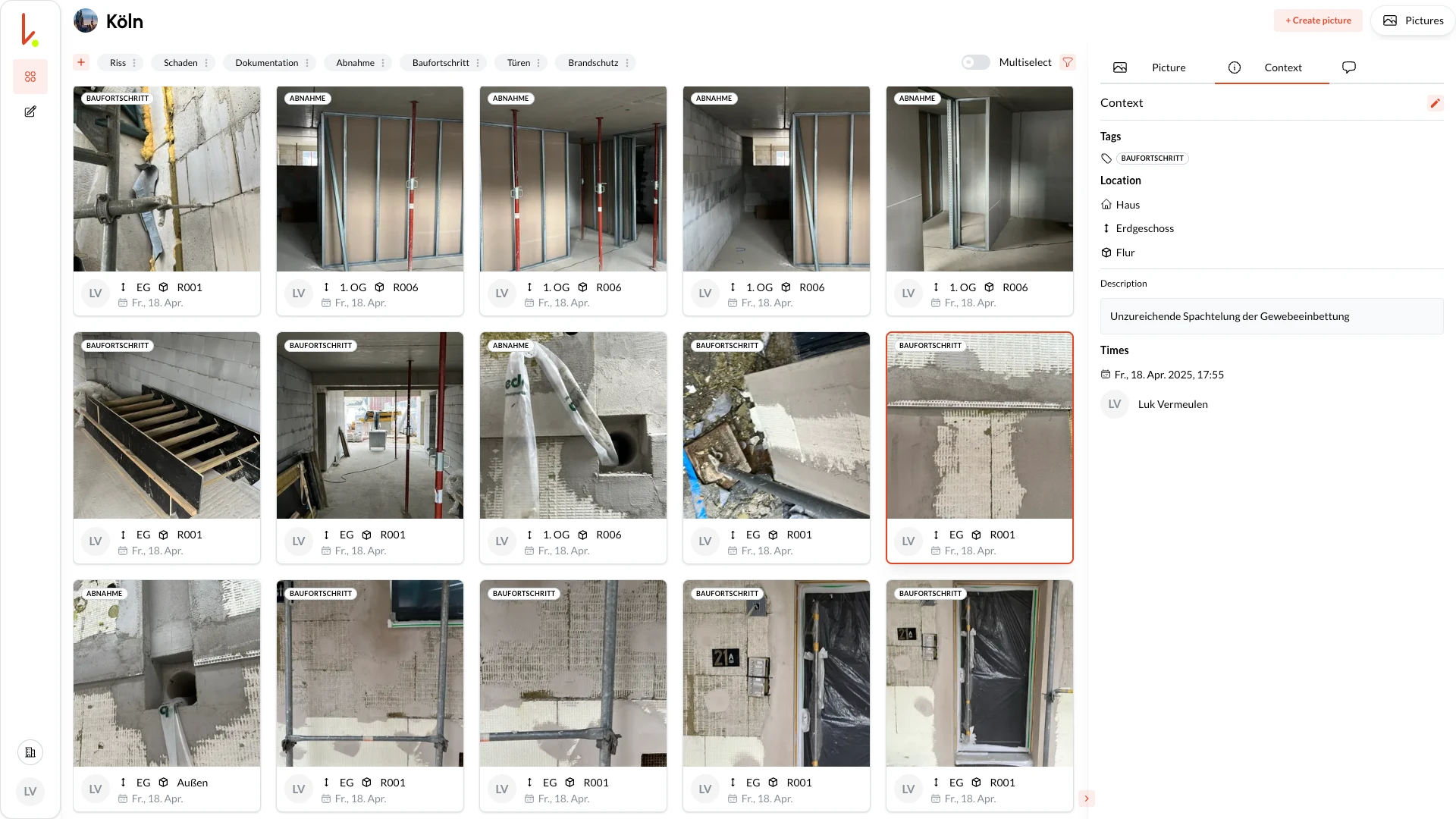
kontekst lens uploads new captures automatically. In the cloud, everyone sees the latest images in one structured, searchable view that is ready to share or export.
Instant overview
Live feed of new photos
Find everything
Filter by room, author, date, tag, ...
Share and export
Give the whole team access and export PDF reports with one click.
Structured photo documentation in three steps
Set up project structure or upload plan
Start with building, floor, and room. If available, add the plan.
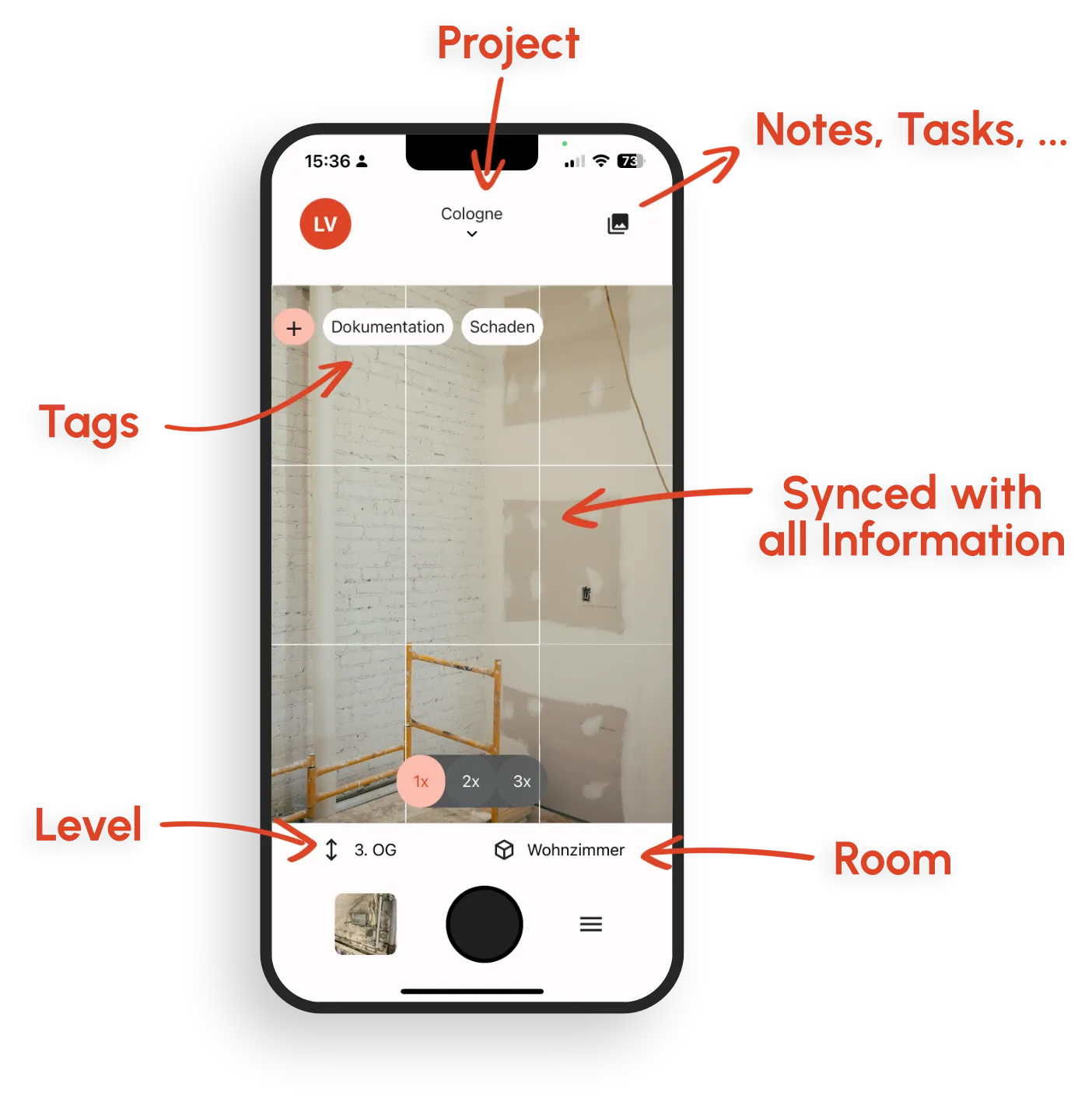
Capture photos on site and assign them
Take pictures as usual and assign them directly to the right location.
Filter, share, and reuse later
The team finds images centrally and uses them directly for documentation, coordination, or further workflows.
Typical use cases
Initial inspections and surveys
Document the current state in a structured way during the first walkthrough.
Construction progress and hidden work
Capture progress before work gets covered up.
Shared photo library for the whole team
Everyone involved works from the same structured photo library.
Ongoing documentation of existing buildings
Maintain continuous photo documentation of existing properties.
Why teams choose kontekst
Security, transparency, and control over your data.
Secure and EU-hosted
European cloud infrastructure, German company, clear data ownership.
Built for construction site reality
Mobile capture, offline capable, fast sync back to the office.
Open interfaces
OpenAPI and webhooks for integration into existing processes and systems.
Traceable records
GPS data, timestamps, and room assignments make your documentation easier to follow later on.
Frequently Asked Questions
Does the app work offline on site?
Can I place photos directly on a floor plan?
How do I find a specific photo months later?
Can I generate photo reports as PDFs?
Where is my data stored?
What makes kontekst different from a shared folder or cloud drive?
Start your next photo documentation
Try kontekst lens on a current project and build your photos as a searchable structure from the start.