
Defect Management with Context: Linking, Not Searching
Defect Management with Context: Linking, Not Searching
You document a defect on Monday. On Wednesday the subcontractor asks for the photos. On Friday someone’s looking for the notes from the meeting. Each piece of information exists somewhere. But nowhere together.
This isn’t an organisation problem. It’s a structural one: photos, notes, tasks, and defects are stored as isolated data points, with no connection between them. The moment someone needs the full context of a defect, the search begins.
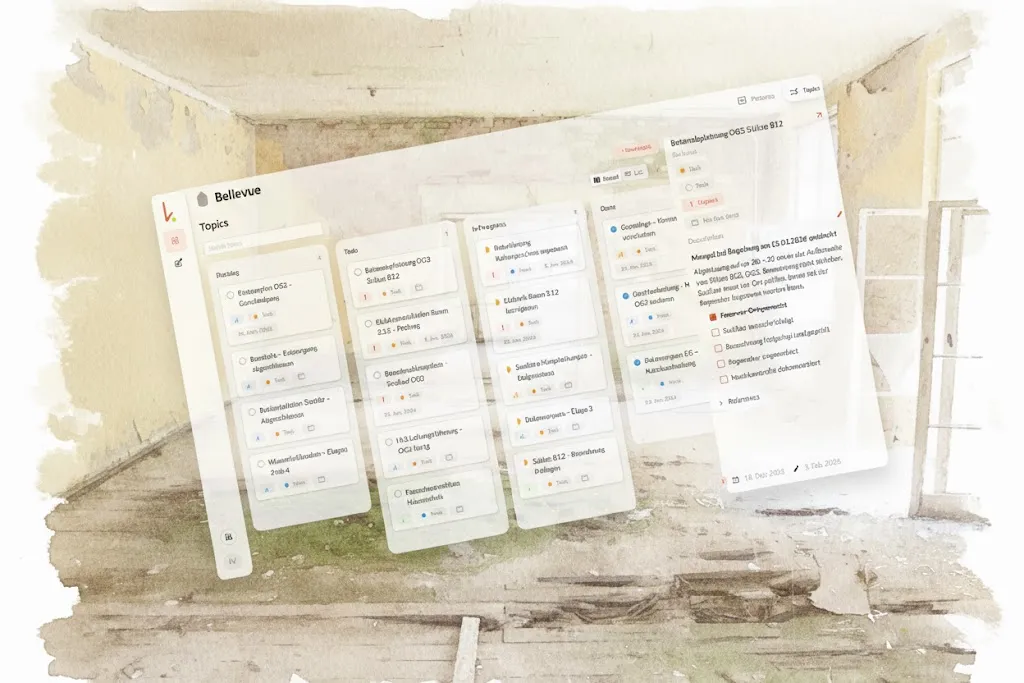
Topics in kontekst solve exactly that. The new Topics feature is now available with version 1.7.0. → See full release notes
The Problem: Information Without Connection
During the site walk: You spot a concrete crack, photograph it, log the defect. Three weeks later the subcontractor asks: “Which photos go with this? What was discussed in the meeting?” The search begins — through photo folders, notes, protocols. Twenty minutes later you hopefully have everything.
With the defect list: The defect list is complete, the photos are there, the comments from coordination meetings too. But they’re spread across three different places. Bringing them together takes longer than the actual work.
Years later: Property management reports a façade issue. During construction, everything was documented: structural details, material specs. But where exactly? The search through old project folders begins.
The core problem isn’t that information is missing. It’s there — just not connected to each other.
Linking Instead of Attachments: What’s Different in kontekst
In most defect management tools it works like this: you create a defect, attach a photo, assign a person. The photo only exists as an attachment to that one defect. If you find the same photo later in your photo folder, you won’t know which defect it belonged to.
kontekst works differently. Every element — photo, note, task, defect — stays an independent, searchable object. At the same time it can be linked to any number of other objects. From a photo to a defect. From a defect to a note. From a note to another photo. In every direction.
That’s the linking layer of kontekst. It’s the structural foundation everything else is built on.
A single photo can be linked to a defect, a task, and a safety document at the same time — without being copied. Every element stays findable in your photo database. At the same time it’s connected to all relevant workflows.
Topics: The Work Units on This Linking Layer
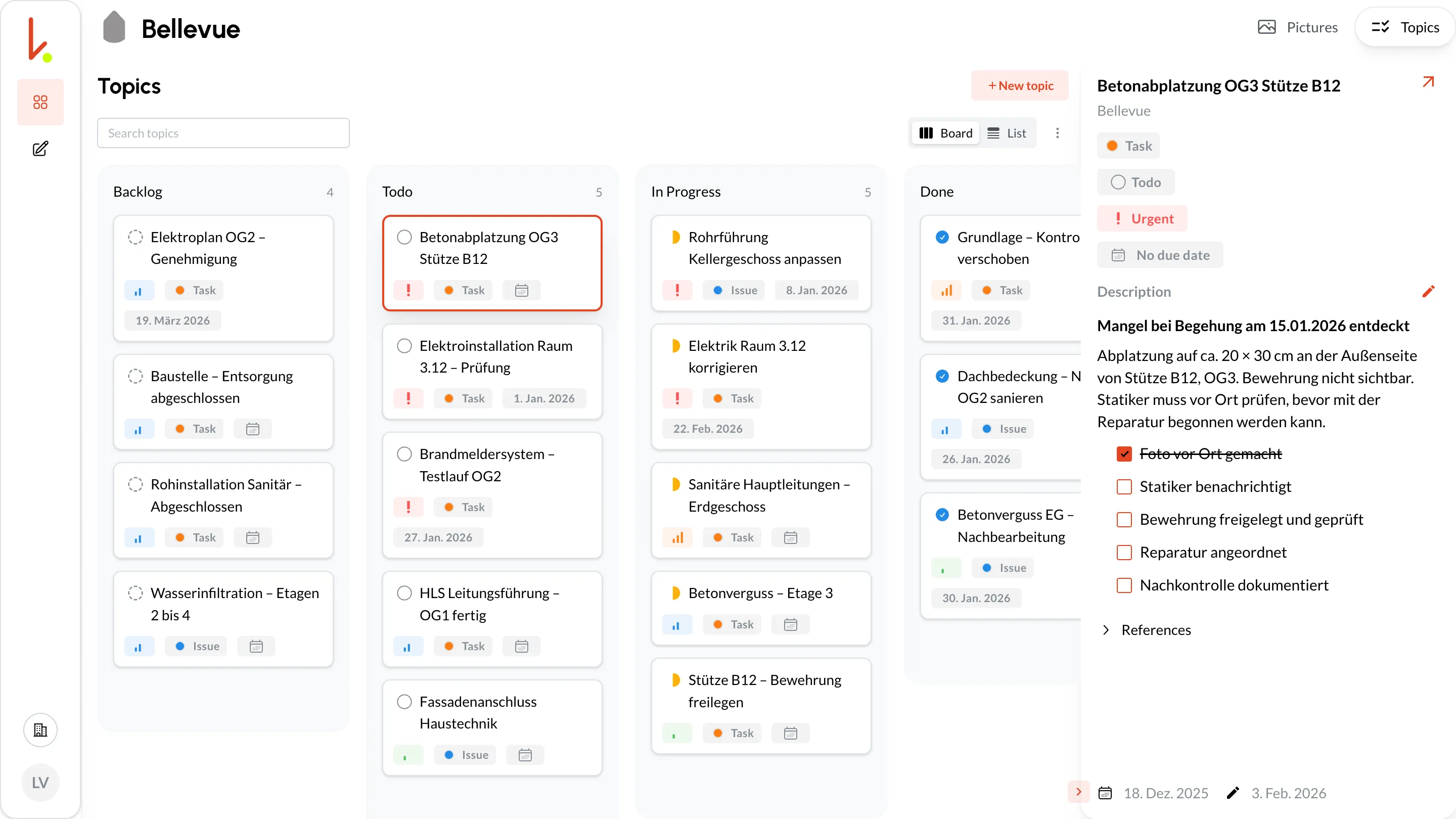
A Topic is a bundling point. A single defect, a task, a coordination item. Everything that belongs to it gets linked there: photos, notes, comments, protocols.
A Topic can be:
- A defect: “Concrete spalling, 3rd floor, column B12”
- A task: “Fix electrical wiring, room 3.12”
- A coordination item: “Façade connection to building services”
- A point on the defect list for handover
From any element you navigate to the next — no searching required.
What This Looks Like in Practice
Document a defect and track it end to end
You spot a concrete crack on a support column during a site walk.
-
On site: You take a photo with the kontekst app — same as always, no extra effort.
-
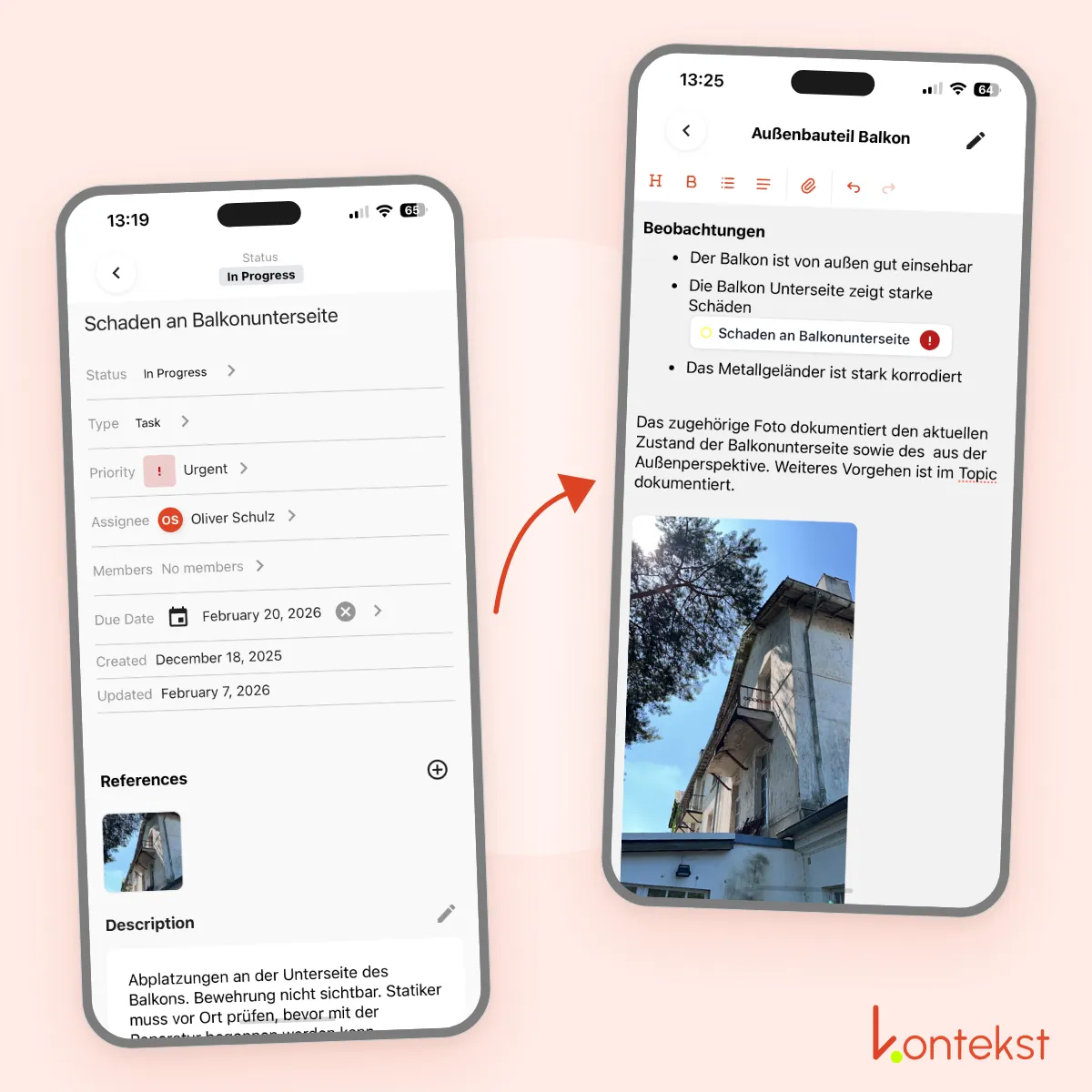
Create the defect: Directly from the photo you create a defect: “Concrete spalling, 3rd floor, column B12”. The photo is linked automatically.
-
Add context: Later you add a note: “Checked with structural engineer on 15/01, reinforcement exposed, no load-bearing risk.” This note is automatically linked to both the photo and the defect.
-
Document the fix: After the repair you photograph the result. This photo is linked to the same Topic too.
The complete history of a defect in one place. Before photos, notes from coordination, after documentation. Instead of 15 minutes of searching when someone asks a question: 30 seconds of navigation.
Create a task from a site photo
During a site walk you document an incorrectly routed electrical installation.
-
Photo on site: Room 3.12, wiring not routed according to plan.
-
Create the task: Directly from the photo: “Fix electrical wiring in room 3.12, route according to plan.”
-
Assign: The responsible electrician gets a notification with the linked photo — no lengthy explanations needed.
-
Document the progress: Comments and further photos after the correction. Everything linked in the same Topic.
The whole team sees the trail. From the first photo through comments to the final documentation. Every person involved has the full context immediately.
Beyond the Defect: Securing Building Knowledge
Topics work across the entire project lifecycle — not just during construction.
A facility manager takes over the building five years after construction is complete. A façade issue comes up. He searches for “façade” and immediately finds a Topic with all the documents from the construction phase. Structural details, material specs, photos, notes. Everything linked, everything navigable.
Construction-phase information lost over decades. That used to be the rule. With the linking layer of kontekst it becomes the exception.
More Use Cases
Water infiltration across multiple floors
A refurbishment project with recurring water ingress problems across several floors. The project manager creates a Topic “Water infiltration” and links all relevant photos and notes from different inspections. When the planning team requests the complete documentation, everything is already connected: photos from three floors, notes from five inspections — structured and ready to share.
What used to cost hours of searching: 30 seconds of navigation.
Defect tracking through to handover
Every defect is logged as its own Topic. During the owner walkthrough the site manager can immediately show the complete history of each defect item: from identification through comments and photos of intermediate steps to the final resolution. Handovers are significantly faster.
Ready to rethink defect management?
kontekst works offline, is GDPR-compliant, and runs on all devices. Document on site as you always have. The linking happens automatically.
Book a demo to see how Topics work day to day. Or get started directly on your next site.