
New Features
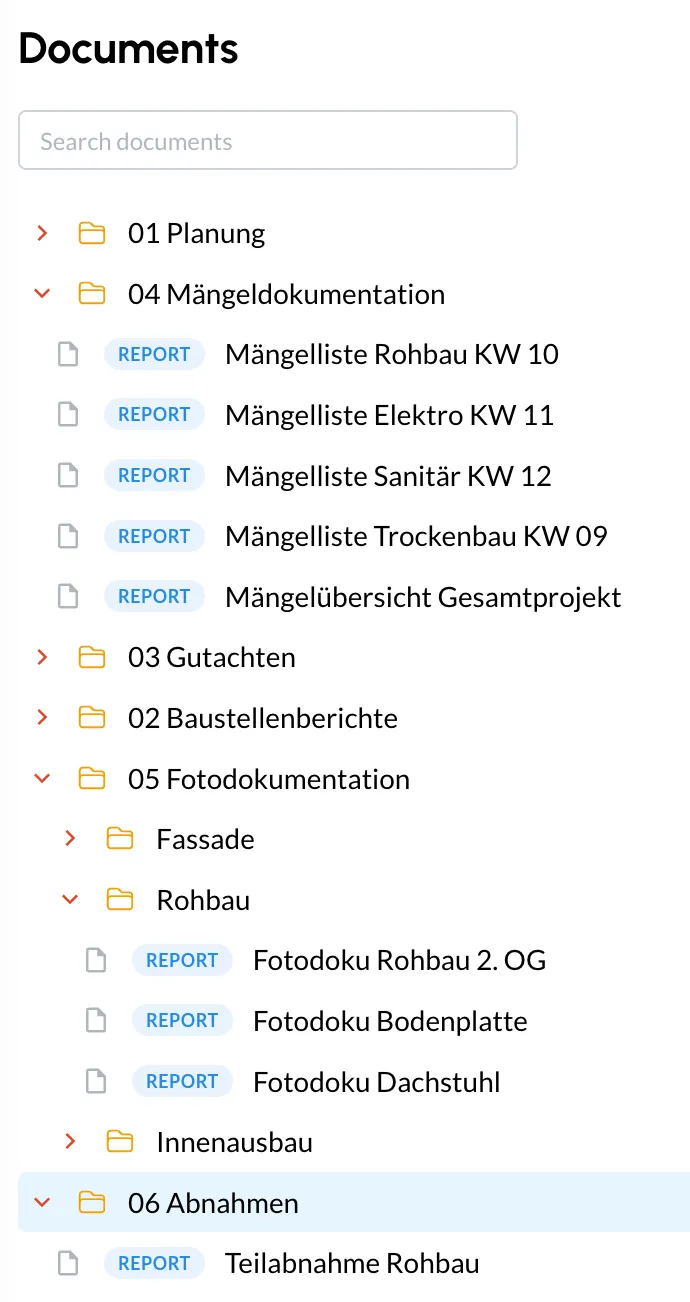
Document Workspace and File Explorer
Store floor plans and project documents in one place and access generated reports without folder chaos. Your team works from one shared source instead of scattered files.Faster PDF Reports with New Templates
Generate structured reports faster with new templates and a streamlined report workflow. This reduces manual work after site walks and handovers.Topic Reports as PDF (Defect List or Task List)
Export a Topic directly as a defect list or task list PDF, ready to share with clients, subcontractors, and project partners.Share Topics by Email (Mobile)
Send topic details by email in a few taps so external partners get the right context quickly.Automatic Face Blur
Enable face blur to protect people on site while keeping photo evidence usable for project documentation.
Improvements
Link Topics Faster While Capturing Photos
The camera flow now supports quicker linking to the right Topic or note, so context is complete at the source.Choose How You Share Images (Mobile)
Decide whether to share the original image or the version with drawings, depending on who receives it.Smoother Mobile Menus and Downloads
Menu behavior and styling were refined for a smoother experience in daily field work.
Bugfixes
- More Reliable Drawing and Sharing (Mobile)
Stability fixes improve drawing behavior and image sharing reliability on mobile.