kontekst
v1.6.0
All releases

New Notes Tool

Launch of our new integrated notes tool, a password reset feature, streamlined project navigation with a customizable sidebar, a new dashboard, and further stability improvements.

New Features Improvements Bug Fixes
Feature spotlight

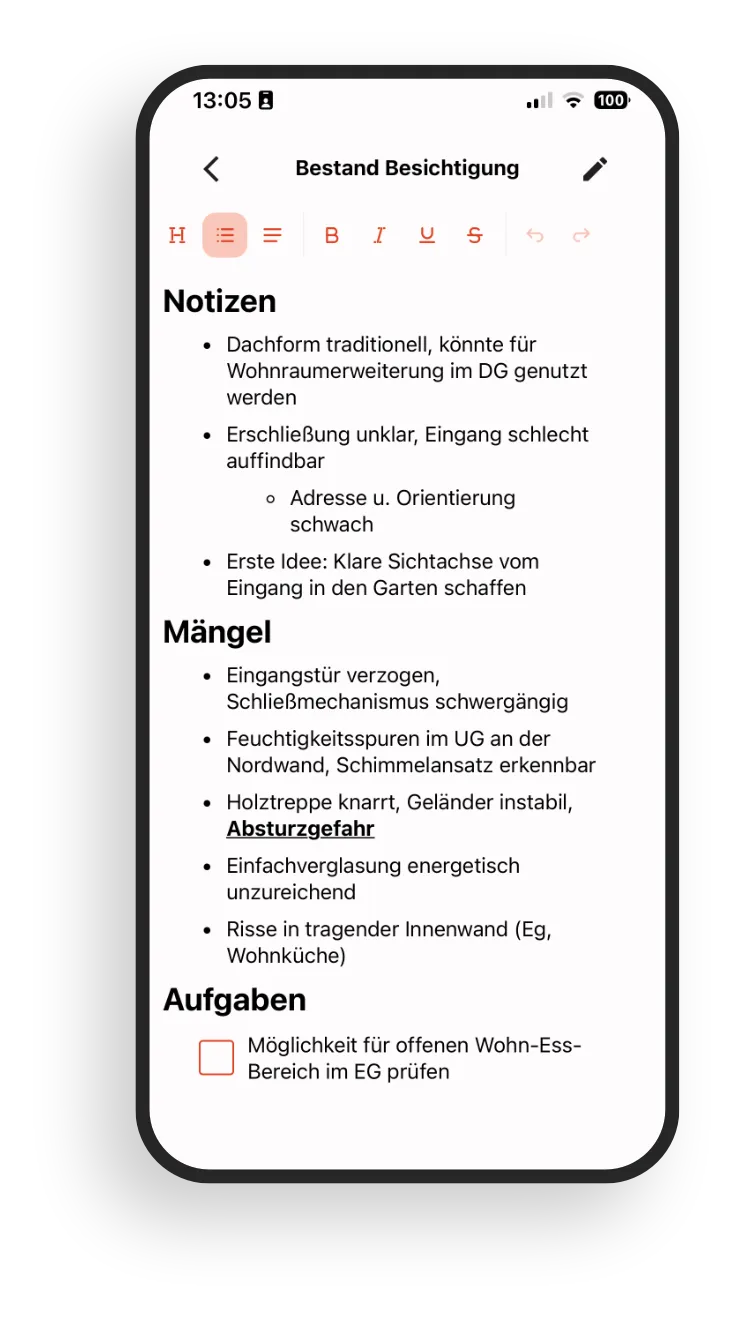
Notes and photos stay in one flow

Capture thoughts, tasks, or agreements right next to your photos and link them to projects, buildings, or rooms.

  • Notes can be categorized and filtered like photos (project, building, floor, room, tags).
  • A shared timeline shows notes, photos, and tasks chronologically in one stream.
  • No context switching: everything lives together and is findable in seconds.
Screenshot of the notes feature inside the kontekst Lens app

New Features

  • Notes Tool
    More than photos: you can now create notes directly in kontekst and link them to projects. That makes it even easier to stay on top of your construction project.
  • Reset Password (Web)
    You can now reset your password yourself right from the login screen.

Improvements

  • Project Navigation (Web)
    Navigation has been redesigned and now sits compactly behind the project icon.
  • Sidebar (Web)
    The sidebar can now be collapsed and resized. More room for photos when you need it.
  • App Dashboard (Web)
    New home screen with quick access to your latest projects and notes.

Bugfixes

  • Various smaller bugs have been addressed behind the scenes to further improve stability on web and mobile.